Cathy Buggs

Updated 4 months ago

Android emulator made free and simple

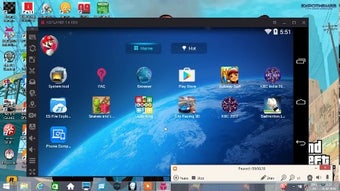
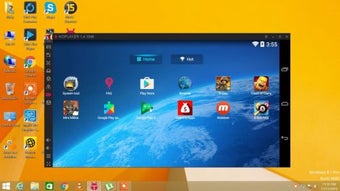
KoPlayer for Windows is an Android emulator for PC. You can use it to access content that is otherwise incompatible, run Android apps, or play Android games on a big screen. It is stable and lag-free, with an intuitive UI, and you can download and install it for free right now.

Top Recommended Alternative

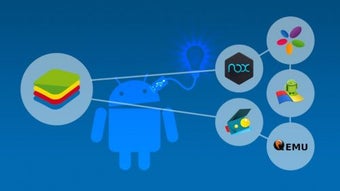
KoPlayer allows you to access Android software, such as TaskerTorque Pro, or Action Launcher, which are exclusive to the Android brand. Before, that would have meant having to buy an iPhone counterpart. Now, with the rise of emulators KoPlayer, Nox, and BlueStacks, this is no longer the case.

The benefits of KoPlayer

KoPlayer's ability to allow non-Android users to download and play any Google Play Store app on their PC is great. Its new kernel technology, built on the x86 architecture, provides better stability and smoother performance than many competitors. Apps download faster on a PC than on mobile devices, and users can quickly install programs by simply dragging and dropping the .apk file into the streamlined application.

The emulator is particularly beneficial for gamers, even those who own an Android device. Playing fast-paced mobile shooters on a PC provides a larger screen, higher frame rates, and reduced lag, resulting in improved visibility. Furthermore, KoPlayer can recognize attached devices, allowing games to be played easily with a keyboard, mouse, or external gamepad, thereby eliminating the need for awkward mobile controls and providing a competitive edge.

Despite its benefits, KoPlayer's main weakness is that it offers minimal unique features compared to its major competitor, BlueStacks, which often performs better in speed and compatibility. Users have also reported rare instances of bloatware and system slowdowns, and the uninstallation process is complicated, requiring several manual steps and a system reboot. Therefore, it's best used as a solid alternative if other emulators do not work well.

A worthwhile emulator

KoPlayer is an excellent free and accessible emulator that successfully brings the full Android experience, including games and exclusive apps, to a PC's large screen. Its focus on stability and its ability to seamlessly incorporate PC peripherals for gaming are strong selling points. While it may not always outperform the market leader, it serves as a robust and trustworthy alternative that is safe, easy to use, and highly effective.

Cathy Buggs

With decades of experience in IT management and later as a writer and tutor, she combines technical knowledge with a passion for clear communication. His work spans editing, teaching, and writing, bringing authority and precision to content on technology and related fields.

  • Pros

    • Easy interface
    • Recognizes connected devices
    • Supports practically every app
  • Cons

    • Troublesome uninstallation
    • Some performance issues
    • Inferior to the competition
 0/6

App specs

Program available in other languages


Icon of program: KoPlayer

KoPlayer for PC

  • Free
  • 4
    1077
  • 900.3K
  • V3.2.1

User reviews about KoPlayer

4

11 reviews

Add review

Main reviews for you

  • Anonymous user

    It is useless for my application. I need accurate location, but there is no function to control the location and the default is in the middle of the pacific ocean.Garbage.

  • Anonymous user

    Do not install it! Ko player is bloatware! I specifically declined all the programs (there were like 10 programs) and it still installed them! Right now I'm uninstalling all the programs

  • Anonymous user

    I finally found the suitable emulator for my computer.

  • Anonymous user

    Yes, it is easy to use. i can use some of my android applications on ko player. but i cant locate whatsapp yet

  • Anonymous user

    Very helping many people to install some android aplication

  • Anonymous user

    Its a joke of a program if yu try to uninstall it will trick you into installing something else and wont uninstall itself iv tried 3 times now its malware and dont log into your Gmail Account Using this app

More

You may also like

Alternatives to KoPlayer

Explore Apps

Latest articles

Laws concerning the use of this software vary from country to country. We do not encourage or condone the use of this program if it is in violation of these laws.
Softonic

Is KoPlayer safe?

100/100

Score result: Clean

This file passed a comprehensive security scan using VirusTotal technology. It is safe to download.

  • Virus free
  • Spyware free
  • Malware free
  • Verified by Security Partners

    VirusTotal logo

Scan Info

Last scan
Monday, November 13, 2023
Scan provider
VirusTotal · Full report

File Integrity

File
genymotion-3.2.1.exe
SHA256
1de2d5ab9fd28460eaaefc8ceaf63d85f156d285b6be4dc89fb583ab0998e6c5
SHA1
18ebc1fbe1944a63d499534e457b03f73731ff77

Softonic security commitment

KoPlayer has been thoroughly scanned by our advanced security systems and verified by industry-leading partners. This file comes from the official developer and has passed all our security checks, showing no signs of viruses, malware, or spyware. For more information, visit our Security and Trust Center